1
Find Sport and Fitness
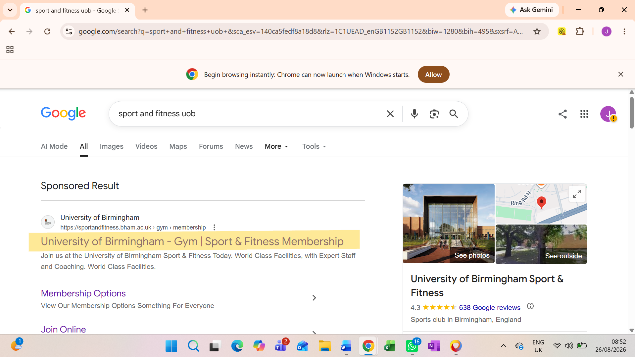
Search Sport and Fitness UoB in your browser and select the University of Birmingham Sport and Fitness result.

Join UoB Brazilian Jiu-Jitsu
Follow the steps below to purchase your University of Birmingham Sport and Fitness membership and join our club.
Start your membership purchaseSearch Sport and Fitness UoB in your browser and select the University of Birmingham Sport and Fitness result.
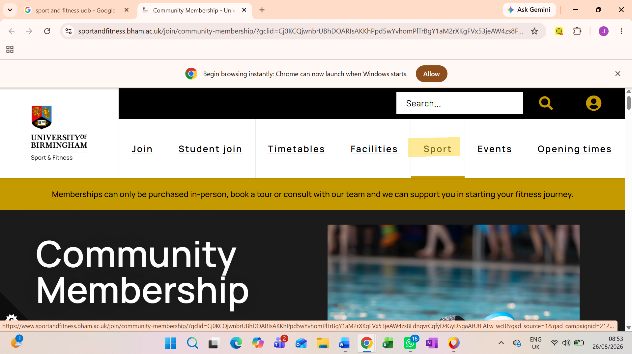
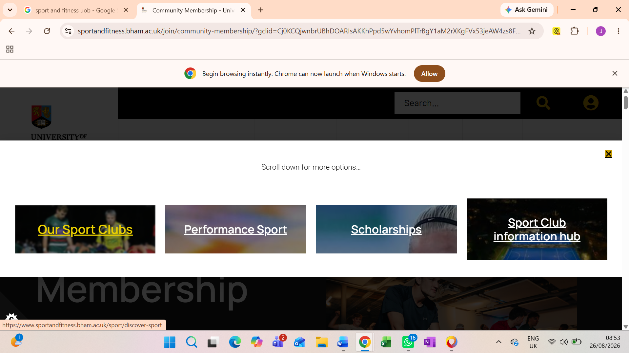
Navigate to the Sport section, then select Our Sport Clubs.
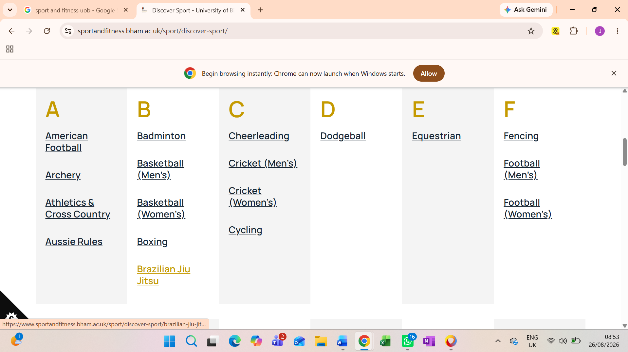
In the clubs beginning with B, find Brazilian Jiu-Jitsu and click on us.
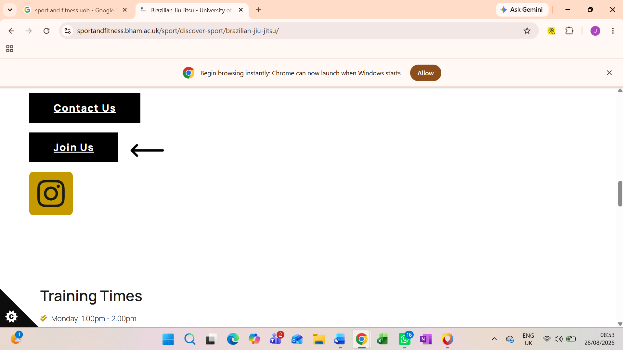
Scroll to the bottom of our club page. Have a little read through if you are interested, then click Join Us.
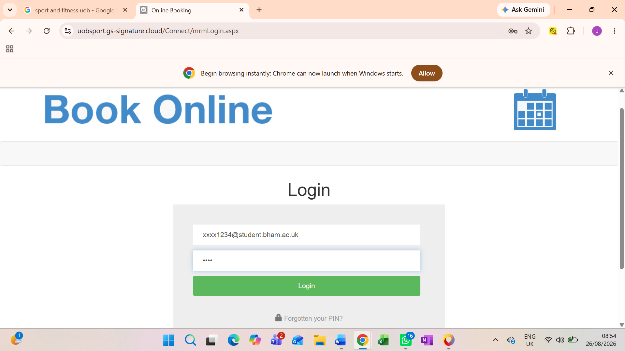
Enter your University email and PIN, then log in. Your PIN should have been set up with Sport and Fitness during onboarding. If you do not have one, contact Sport and Fitness to find out how to set yours up.
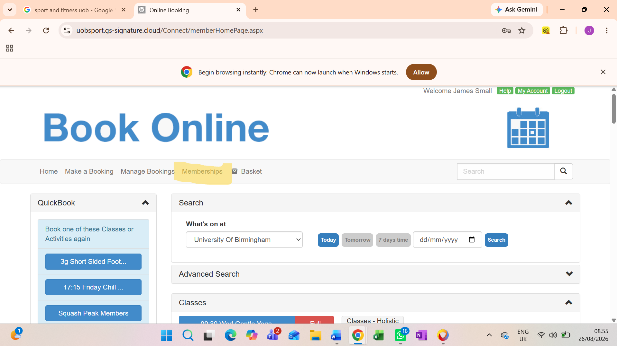
Once logged in, find the highlighted Memberships tab and click it.
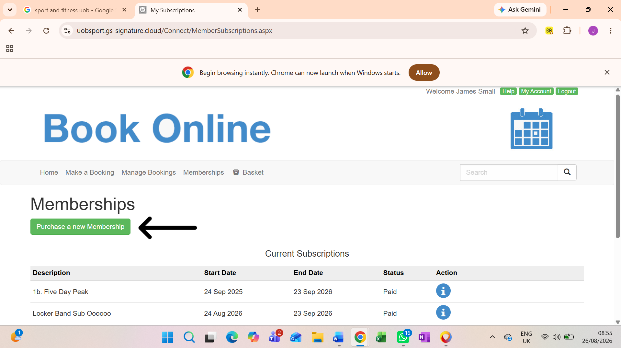
On the Memberships page, select the green Purchase a new Membership button.
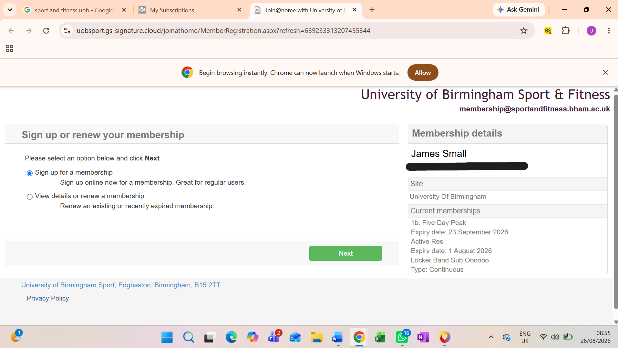
Select the section that applies to you, whether you are buying a new membership or renewing an existing one, and click Next.
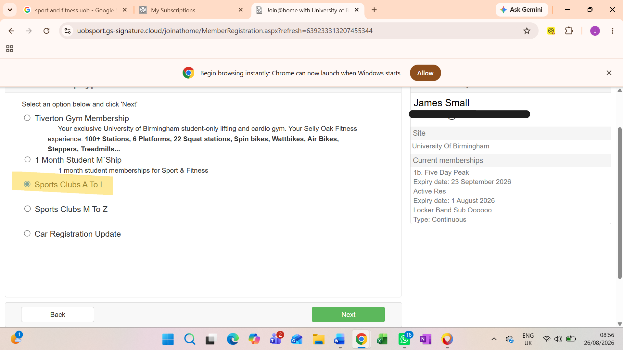
Choose Sports Clubs A to L, then click Next.
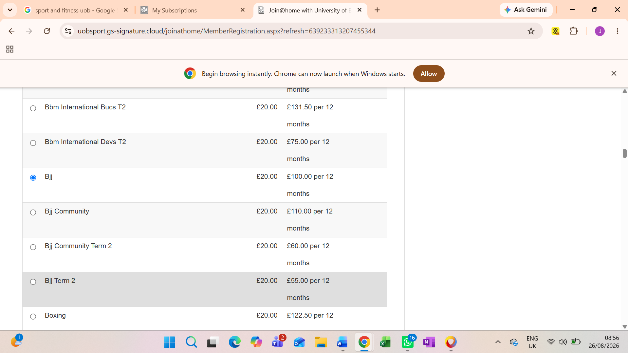
Scroll down to the clubs beginning with B and select the category that matches what you are buying:
Once selected, scroll to the bottom and click Next.
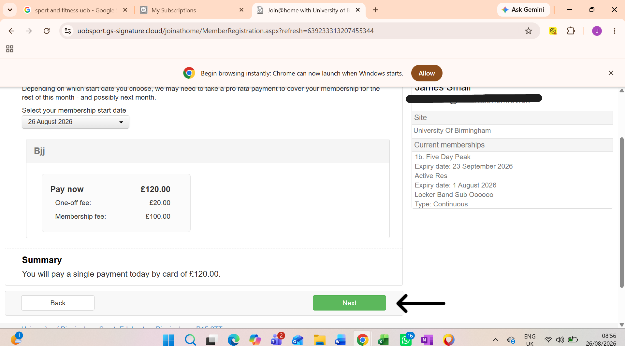
Make sure you are happy with the details and click Next.
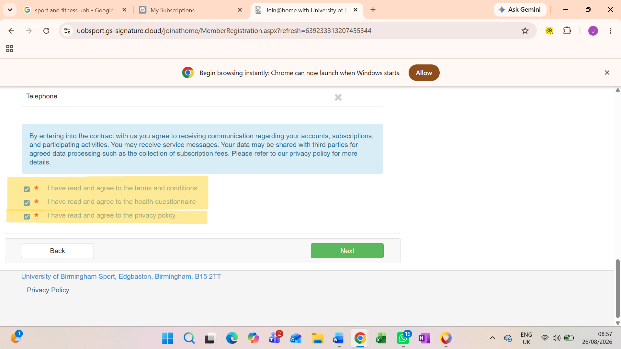
Fill out your personal details. At the bottom, read and agree to the three highlighted sections, then click Next.
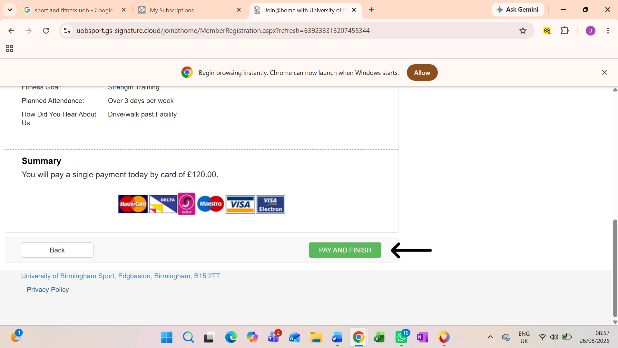
Check everything on the summary page. When you are happy, select Pay and Finish and complete checkout on the next page. You should receive an email confirmation of your purchase.
Registering for this webapp does not make you a club member. You need to complete the Sport and Fitness membership purchase above.